
One account, one currency
Review available balances and held funds for each account. Its currency gives collections and payments a clear frame of reference.
BELOOK BUSINESS · BANK ACCOUNT
Bank accounts in different currencies, in your company’s name. Keep balances separate, find your bank details and connect treasury to daily operations.
Display example. Fictional balances.
Bank details associated with your business.
Available and held balances, account by account.
Customers, suppliers, cards and statements come together.
INSIDE YOUR BUSINESS WORKSPACE
Find your business bank accounts and currencies, separate from personal accounts.
Real screenshot from Makomi Logistics SA. Personal information is hidden.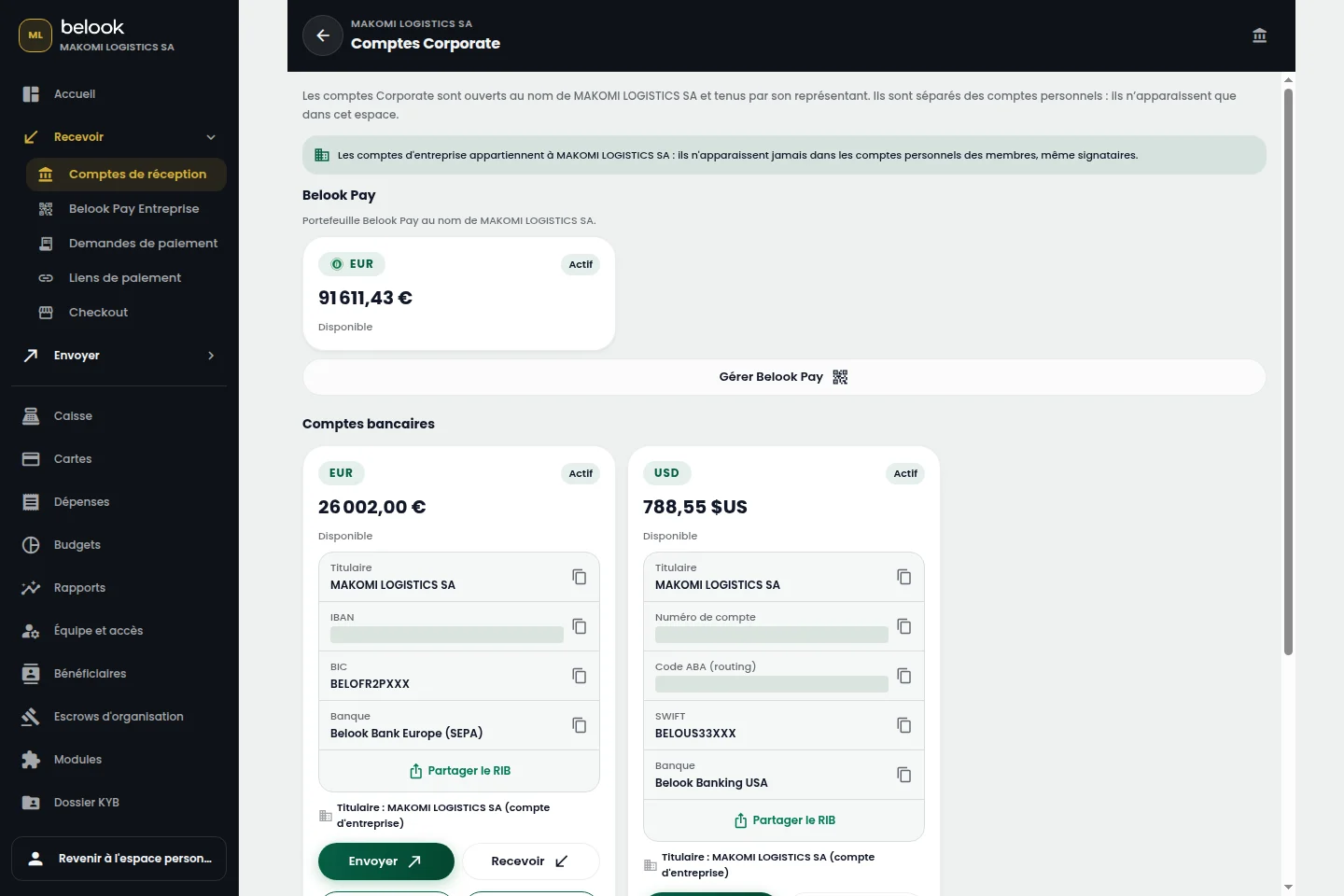
A BETTER CONNECTED EVERYDAY
Review available balances and held funds for each account. Its currency gives collections and payments a clear frame of reference.
Find the IBAN or account number, BIC and bank details available for your account and banking partner.
Prepare supplier and batch payments, review movements and download account statements for each period.
Currencies and account opening depend on your company’s enabled capabilities, country and partner. Review the options offered in your Business space.
The exchange journey prepares a quote with the available rate, amounts and fees before confirmation. Movements stay associated with the relevant accounts.
From “Open an account”, continue to Belook registration and choose Business. Prepare your business information and the representative’s supporting documents.