
Organise your catalogue
Organise products and variants so the right items are easy to find at the register and on delivery.
Stock & products
Connect products to sales and purchasing. Make inventory part of your everyday decisions.
Open a Business accountTHE RIGHT TOOLS, IN ONE PLACE
Features depend on the modules enabled for your business. Payroll also depends on the country and available settings.
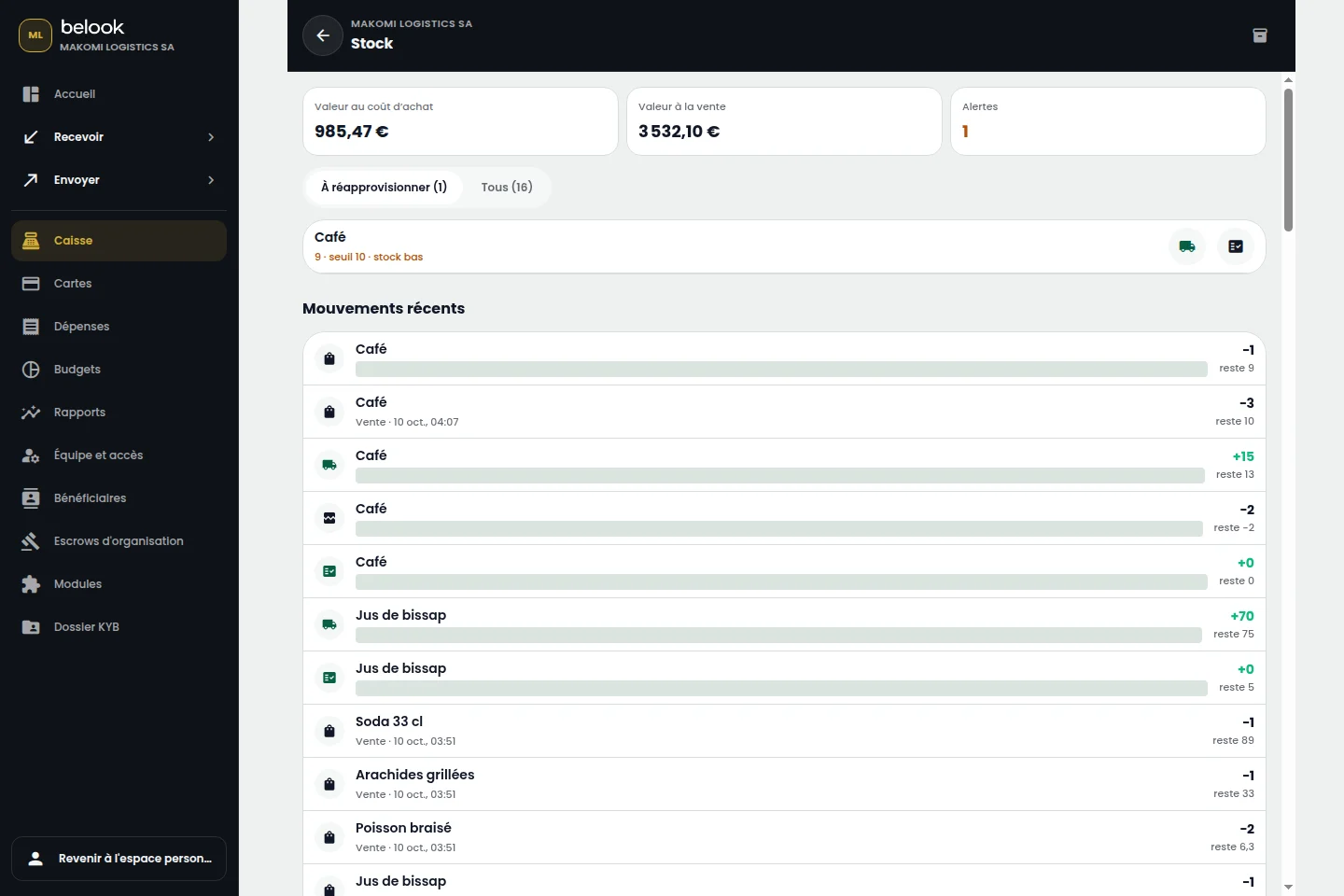
A BETTER CONNECTED EVERYDAY
Organise products and variants so the right items are easy to find at the register and on delivery.
Review receipts, issues and adjustments in context. Sales and purchasing operations connect to your inventory.
Review available stock before ordering and match delivered products to supplier purchases.
From “Open an account”, continue to Belook registration and choose Business. Prepare your business information and the representative’s supporting documents.
Choose the tools that fit your business. Available modules and their terms depend on your account, country and enabled capabilities. Our team can help clarify your needs.