
Prepare a quote that inspires confidence
Select your customer, itemise services or products, choose the currency and set a validity period. Your branding, discounts and payment terms accompany the document.
INVOICE MANAGEMENT
From the first quote to the final payment, give every customer a polished experience. Create and share invoices, with a clear view of what has been paid and what is still outstanding.
Open a Business accountInvoice and partial payment illustration
INSIDE YOUR BUSINESS WORKSPACE
Keep invoices, statuses and payment links together in one workspace.
Real screenshot from Makomi Logistics SA. Personal information is hidden.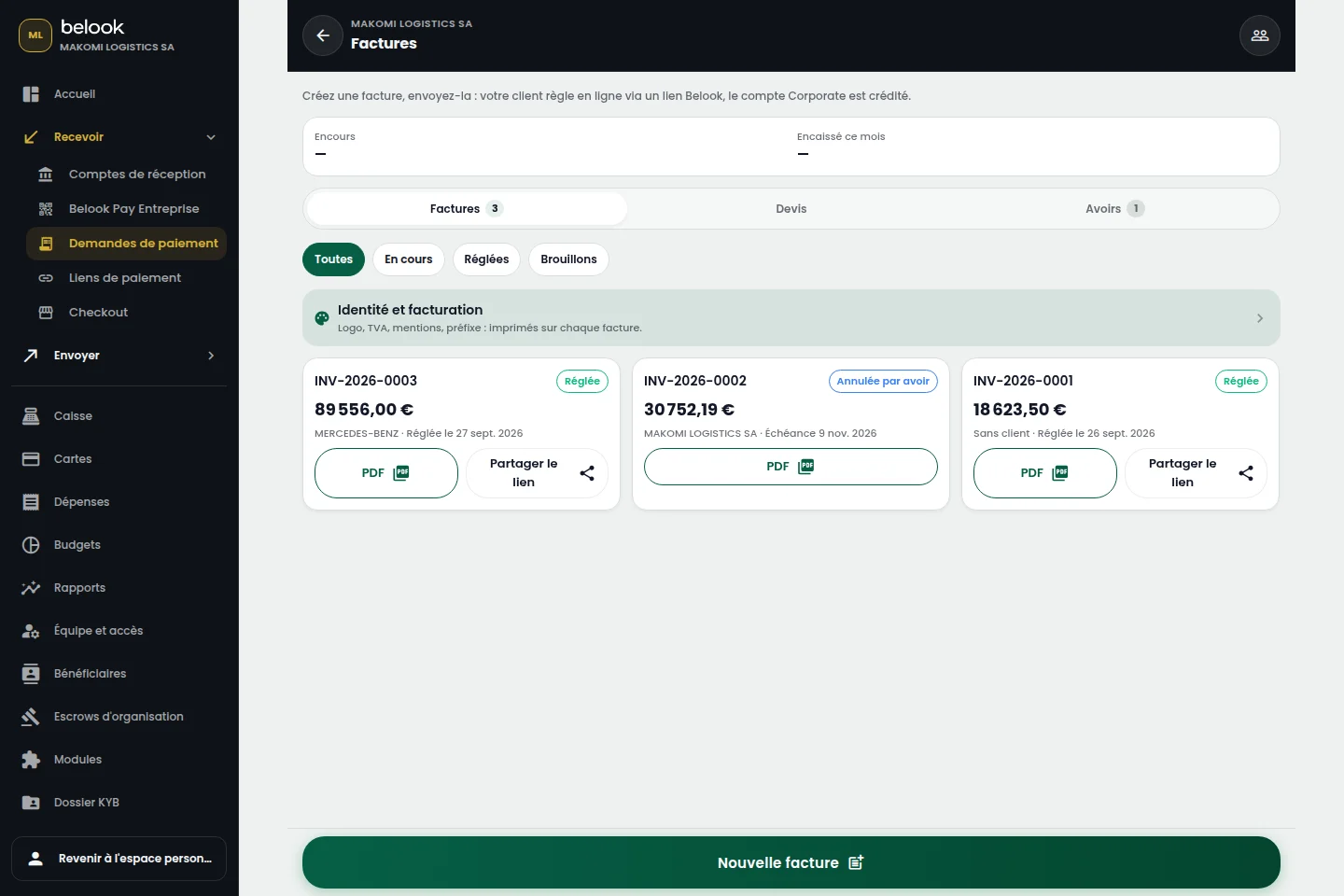
ATTENTION TO DETAIL. CLARITY IN TRACKING.
Your invoice represents your business. Tracking it clarifies your cash flow. Bring both together in your Business workspace.
A BETTER CONNECTED EVERYDAY
Select your customer, itemise services or products, choose the currency and set a validity period. Your branding, discounts and payment terms accompany the document.
Convert the accepted quote, review amounts and taxes, then finalise the invoice. Share the PDF or email the document with its configured payment link and destination account.
Record payments, including partial payments, and review the remaining balance. Spot overdue invoices, send a reminder and issue a credit note when needed. History keeps the customer relationship in context.
EVERY INVOICE HAS ITS PLACE
Yes. Conversion retains line items and customer context. Review dates, amounts and terms before finalising the invoice.
Each payment is attached to its invoice. Paid amounts and the outstanding balance remain visible, together with payment history and methods.
Choose a currency available to your business and the appropriate destination account. Amounts and receivables are tracked per currency, keeping different currencies separate.
Use a credit note linked to the original invoice to document the correction. This keeps a clear record of the invoice, adjustment and payments.
From “Open an account”, continue to Belook registration and choose Business. Prepare your business information and the representative’s supporting documents.