
Set the framework
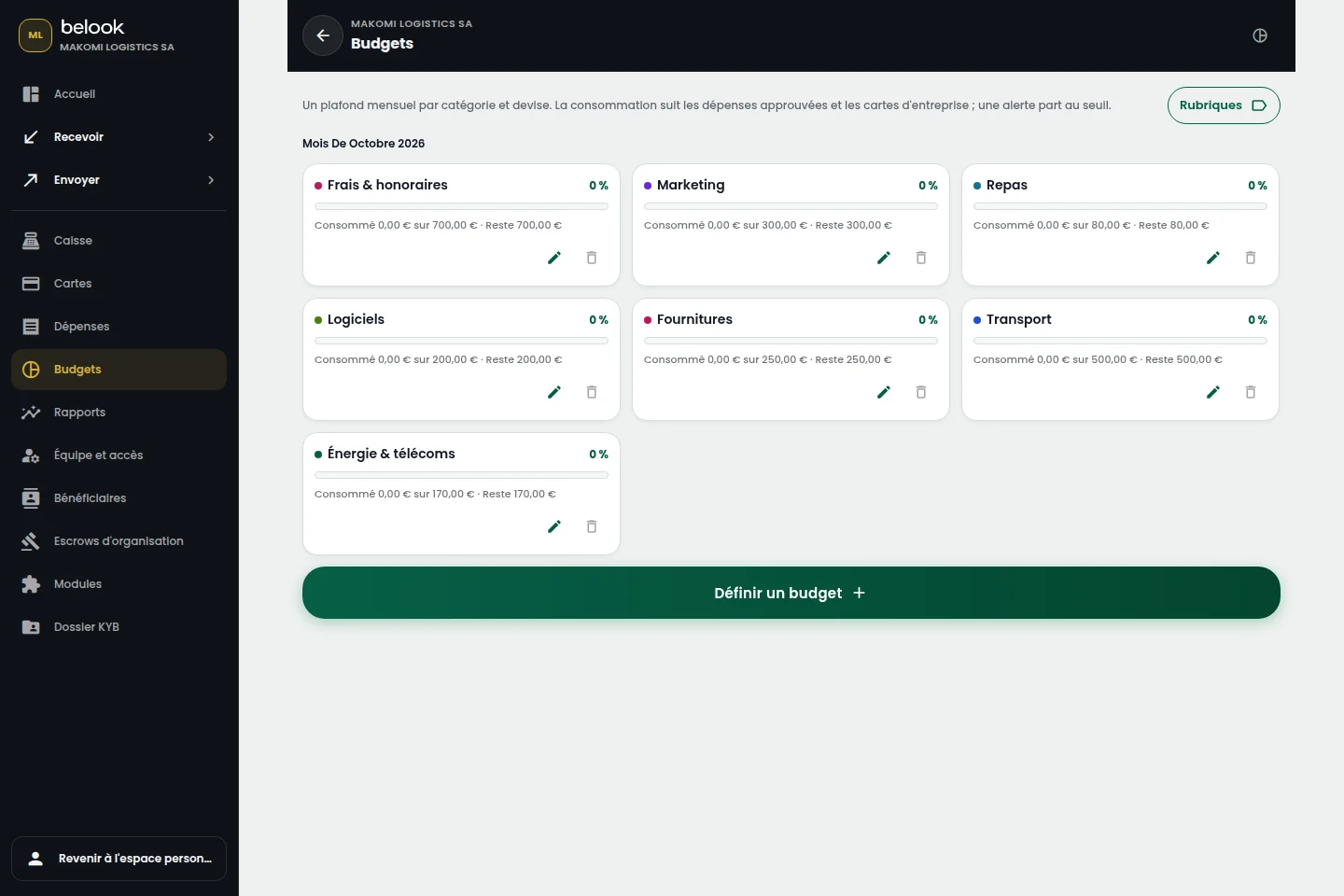
Define categories and periods. A readable budget helps your team understand priorities.
Budgets & expenses
Give your spending direction. Organise budgets and turn financial data into useful decisions.
Open a Business accountTHE RIGHT TOOLS, IN ONE PLACE
Features depend on the modules enabled for your business. Payroll also depends on the country and available settings.
A BETTER CONNECTED EVERYDAY
Define categories and periods. A readable budget helps your team understand priorities.
Attach receipts to expenses and follow your organisation’s approval process.
Compare planned amounts with recorded expenses to plan purchases with better visibility.
From “Open an account”, continue to Belook registration and choose Business. Prepare your business information and the representative’s supporting documents.
Choose the tools that fit your business. Available modules and their terms depend on your account, country and enabled capabilities. Our team can help clarify your needs.